Structuring Claude Code for Multi-Repo Workspaces
Claude Code understands one repo at a time. Most teams have thirty.
Microservices, shared libraries, infrastructure-as-code, frontend apps, data pipelines, all in separate git repos. Start Claude Code in one and ask about another, and it has no context. It doesn’t know the workspace exists.
Here’s how I’ve been setting this up to work across repositories.
The problem
When you start Claude Code in orders/order-service, it has no idea that orders/orders-ui exists next door, or that shared libraries live in shared/, or that the data team’s Spark jobs are in analytics/. Every session starts with you explaining the workspace layout.
The same problem shows up when someone new joins the team. They clone one repo, but they don’t know what other repos exist, how they relate, or where to look for shared infrastructure.
A bootstrap repo as the workspace root
The approach I landed on: a bootstrap repo that sits above all the other repos as the workspace root. It doesn’t contain application code. It contains:
- A repo manifest listing every repo, where it lives, and what it does
- Context files that Claude Code picks up from the directory tree
- Tasks for common cross-repo operations (pull all, search all, check status)
I use mani as the repo manager, but the ideas apply regardless of tooling. You could do this with a shell script and a list of repos.
Directory structure
workspace/
  mani.yaml                  # imports per-product configs
  CLAUDE.md                  # org-level context
  mani.d/
    orders.yaml              # order management (3-tier)
    shipping.yaml            # shipping & logistics (3-tier)
    analytics.yaml           # data platform (Spark, Airflow, APIs)
    assist.yaml              # agentic AI system (FastAPI, LangGraph, React)
    shared.yaml              # shared libraries and services
    infra.yaml               # infrastructure repos
  orders/
    CLAUDE.md                # team-level context (tracked in bootstrap)
    order-service/           # Spring Boot (gitignored)
    payment-service/         # Spring Boot (gitignored)
    orders-ui/               # React (gitignored)
    reporting-service/       # Spring Boot + PostgreSQL (gitignored)
    pricing-engine/          # Vert.x, not Spring Boot (gitignored)
  shipping/
    CLAUDE.md
    shipment-service/        # Spring Boot + MongoDB
    shipping-ui/             # Angular
    carrier-service/         # Spring Boot, reactive
  analytics/
    CLAUDE.md
    airflow-dags/            # Python, Airflow
    spark-jobs/              # PySpark on EMR
    metrics-service/         # Kotlin, Micronaut
    dashboard-ui/            # React
  assist/
    CLAUDE.md
    agent-service/           # FastAPI + LangGraph
    conversation-service/    # Spring Boot + WebSocket
    chat-ui/                 # React + streaming chat
  shared/
    CLAUDE.md
    react-lib/
    java-commons/
    feature-toggles/
  infra/
    CLAUDE.md
    terraform-modules/
    ci-templates/
    cluster/
Each indented directory under a product (order-service/, orders-ui/, spark-jobs/, etc.) is a separate git repo, cloned by the repo manager and gitignored by the bootstrap repo. The CLAUDE.md files at each level are tracked in the bootstrap repo.
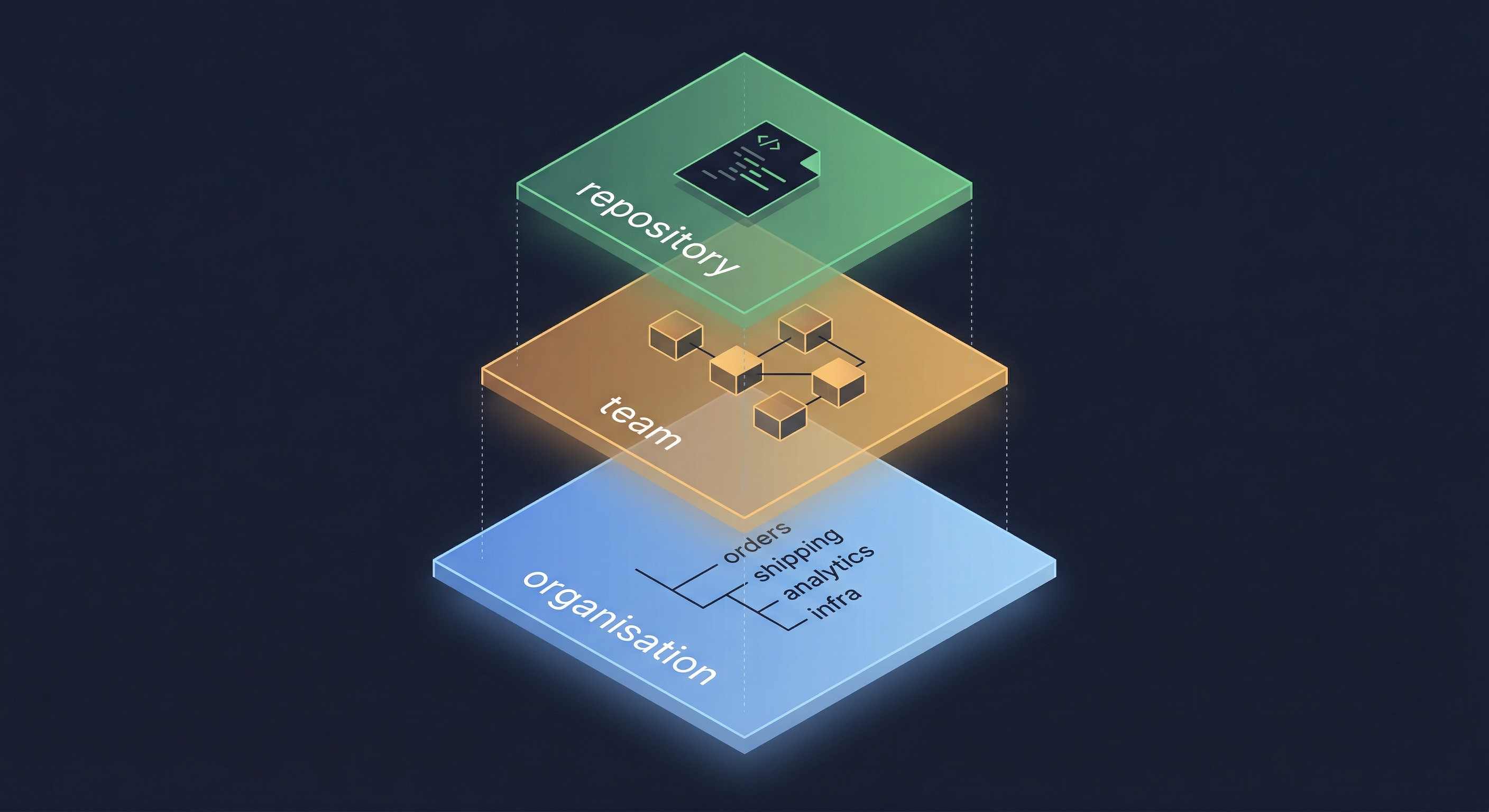
Three layers of context
Claude Code walks up the directory tree looking for CLAUDE.md files. If you start it in orders/order-service, it reads:
-
orders/order-service/CLAUDE.md(repo-level, committed in that repo) -
orders/CLAUDE.md(team-level, committed in bootstrap) -
workspace/CLAUDE.md(org-level, committed in bootstrap)
Each layer adds context without repeating what the others provide.
Layer 1: Organisation
The org-level CLAUDE.md covers things that apply everywhere:
- Warning that this is a multi-repo workspace (check
git rev-parse --show-toplevelbefore git operations) - How to discover repos (point to the manifest file)
- Which products exist and what they own
- Common cross-repo operations
Keep this short. Claude reads it on every session regardless of which repo you’re in.
Layer 2: Team
The team-level CLAUDE.md covers conventions shared across repos in that group. The content varies by product type:
A 3-tier product (like orders or shipping) might cover:
- Backend stack (Java 21, Spring Boot 3.5, Gradle, MongoDB)
- Frontend stack (React 19, Vite, TypeScript)
- Build and test commands for each
- The one exception (the pricing engine uses Vert.x, not Spring Boot)
A data platform (like analytics) might cover:
- Orchestration (Airflow DAGs, triggered via async-job-service)
- Processing (PySpark on EMR, containerised Python jobs on ECS)
- Multi-region support (pipelines run per-region with region-specific config)
An agentic system (like assist) might cover:
- Agent framework (FastAPI + LangGraph for orchestration)
- Backing services (Spring Boot for persistence, WebSocket for streaming)
- Frontend (React with streaming UI patterns)
I learned not to list repos here. Lists go stale. Instead, tell Claude where to look: “This group’s repos are defined in mani.d/orders.yaml. Each project has a desc field. Check that file for the current list.”
Layer 3: Repository
This lives in each repo and is maintained by the team that owns it. Build commands, architecture notes, test instructions, things specific to that codebase. This is standard Claude Code usage, nothing new.
Project descriptions in the manifest
One-line descriptions in the repo manifest make a big difference for discovery. When Claude reads the manifest, it knows what each repo does without cloning or exploring it.
projects:
  order-service:
    desc: Order lifecycle management and fulfilment
    url: [email protected]:acme/order-service.git
    path: orders/order-service
    tags: [orders, java]

  pricing-engine:
    desc: Vert.x real-time pricing engine
    url: [email protected]:acme/pricing-engine.git
    path: orders/pricing-engine
    tags: [orders, java]

  orders-ui:
    desc: React UI for order management and reporting
    url: [email protected]:acme/orders-ui.git
    path: orders/orders-ui
    tags: [orders, ui]
The desc field costs almost nothing to maintain and saves Claude from guessing or asking.
Cross-repo tasks
A repo manager like mani lets you define tasks that run across repos:
tasks:
  update-repos:
    desc: pull latest for all repos
    target: all
    cmd: |
      current=$(git rev-parse --abbrev-ref HEAD)
      if [[ -n $(git status -s) ]]; then
        git fetch origin $branch
        echo "FETCHED (dirty working tree on $current)"
      elif [[ "$$current" != "$branch" ]]; then
        git fetch origin $branch
        echo "FETCHED (on branch $current, not $branch)"
      else
        git pull --rebase origin $branch
      fi
This one pulls latest on repos that are clean and on the default branch, and fetches (but doesn’t touch) repos with work in progress. The data is available locally either way, so the next pull is fast.
Other useful tasks: search across all repos, check which repos have uncommitted changes, trigger CI pipelines.
The gitignore trick for team-level CLAUDE.md files
The bootstrap repo gitignores all sub-repo directories. But the team-level CLAUDE.md files need to be tracked in bootstrap, inside those same directories. The fix:
# Use dir/* instead of dir/ so exceptions work
orders/*
!orders/CLAUDE.md
orders/ ignores the directory entirely (git won’t look inside). orders/* ignores everything inside it but lets you exclude specific files.
Skills, hooks, and commands
Claude Code supports skills, hooks, and custom commands configured in the .claude/ directory of a repo. These have always worked at the repo level. The bootstrap structure gives you two more levels:
Org level (in the bootstrap repo’s .claude/):
- Skills that work across all repos. I have one that queries SonarQube for any repo in the workspace, auto-detecting the project key from the current directory.
- Pre-commit hooks (gitleaks for secret detection, applied to the bootstrap repo itself).
- Shell scripts for operations that span teams, like auditing which repos still need a branch migration.
Team level (in each team’s CLAUDE.md or tracked config):
- Build conventions that apply to all repos in a team but not the whole org. A team with ten Spring Boot services can document the shared Gradle convention plugins once, in the team CLAUDE.md.
Repo level (in each repo, as before):
- Repo-specific skills, hooks, and commands. Nothing changes here.
The layering means you write a SonarQube skill once at the org level and it works in any repo. You document ./gradlew spotlessApply once at the team level and every repo in that team inherits the context.
Partial and full checkouts
Not everyone needs the whole workspace. Most developers I work with only clone their team’s repos:
workspace/
  mani.yaml
  CLAUDE.md
  orders/
    CLAUDE.md
    order-service/
    payment-service/
    orders-ui/
They still get the org-level and team-level CLAUDE.md files. Claude Code still understands the team’s conventions and knows how to discover the rest of the organisation through the manifest.
A platform engineer or architect who works across teams clones everything. They get the full context at every level.
The repo manager handles both. You can tag repos by team and clone selectively (mani sync --tags orders) or clone everything (mani sync). Either way, the layered context works because CLAUDE.md files at each level are already in place.
What this gets you
When someone starts Claude Code in any repo in the workspace, it already knows:
- What the repo does and how to build it
- What other repos exist in the same team and how they relate
- How to navigate to shared libraries, infrastructure, and deployment configs
- Common conventions and exceptions
If you want to try this, start small. Create a bootstrap repo, add a CLAUDE.md with your workspace layout, and list your repos in a manifest with one-line descriptions. You can add team-level context and cross-repo tasks as the structure proves useful.